Javier Peralta

japiye · websites, games & tiny browser hacks

Javier Peralta

Javier Peralta

japiye

I build software for the future of learning.

It is not the answers that make us eager to learn, but the puzzles we meet while searching for them, and those are the lessons we never forget. That is the philosophy behind every learning platform I build.

Software engineer with a background in physics, welcome here to have some fun!

  • 2 websites
  • 1 physics game
  • 2 Chrome extensions

Websites

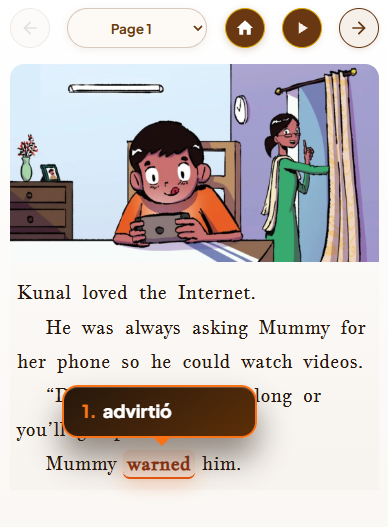
Aetherea mobile reader: Lost in the Internet with the word warned translated as advirtió

Aetherea

Master a language through stories and full novels.

Interactive bilingual reading for learning English and Spanish: five-minute stories for beginners and classic novels, with native human narration synced to the text and instant, in-context translation of any word or phrase. The first book is free, no sign-up needed.
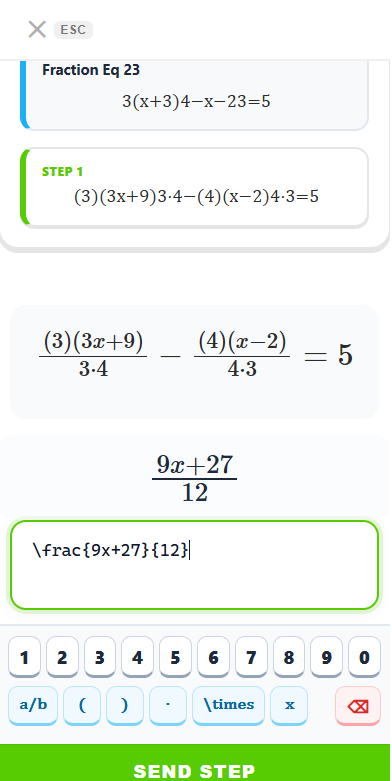

Equat mobile exercise with a fraction step, math keypad, and SEND STEP

Equat

Algebra and Biology, one session at a time.

Structured courses from Algebra I to III and Biology I to III, each split into 13 to 18 sessions with 200+ step-by-step problems. Still under construction.

Games & features

Gravity

N-body physics simulator

Build your own solar system and watch it dance (or collide). A WebAssembly physics core runs Velocity Verlet integration in 2D or 3D, with a Real Life mode (real masses, exact G, Earth & Moon) and two-stage rockets you can fly from a flight deck HUD.

  • WebAssembly
  • 2D / 3D
  • Earth & Moon
  • Rockets
Open full screen

Chrome extensions

Blindfold Chess extension icon

Blindfold Chess

for Chess.com · v1.0.1

Hides the Chess.com board and gives you a keyboard move console instead: real blindfold chess training.

  • Type moves in SAN (Nf3, O-O) or coordinates (e2e4)
  • Shows your opponent's last move
  • Toggle live with Ctrl+B or Ctrl+Shift+B
How to install
  1. Download the .zip and unzip it.
  2. Open chrome://extensions (also works in Edge & Brave).
  3. Switch on Developer mode (top right).
  4. Click Load unpacked and pick the blindfold-chess-extension folder.
  5. Play a game at chess.com/play/computer.
Maps Clickable extension icon

Maps Clickable

for Google Search (EU) · v1.0.0

The EU's Digital Markets Act made Google Search stop linking maps to Google Maps. This puts the links back.

  • Clickable map thumbnails & local 3-pack map
  • The Maps tab is back in the search bar
  • One-click Directions, with a settings popup
How to install
  1. Download the .zip and unzip it.
  2. Open chrome://extensions (also works in Edge, Brave & Opera).
  3. Switch on Developer mode (top right).
  4. Click Load unpacked and pick the maps-clickable-extension folder.
  5. Search for any place on Google: the map is clickable again.

Firefox: about:debugging → This Firefox → Load Temporary Add-on → pick manifest.json.

Gravity

Open full screen ↗